Every shift a supported independent living, support at home or NDIS provider delivers produces four records: what was rostered, what was delivered, what was timesheeted and the final amount that can be claimed.
In theory, these are four views of the same event. Unfortunately, this is rarely the case.
Problems inevitably arise, like a client cancelling, a shift being swapped or a complicated handover that leads to overtime. These issues may seem small, but across dozens of rosters and hundreds of shifts, they can knock the books off balance.
The result is unplanned costs and expenses that can't be claimed. This is why it's so important to narrow the gap between what was rostered and what actually happens during a care-based shift.
This article explores the common causes of mismatched claims and delivery hours, and outlines how better rostering software can be a big part of the solution.
In short:
- Every care-based shift generates four records (rostered, delivered, timesheeted, claimed) that should ideally match but often don't due to cancellations, swaps, overtime and allowances.
- These mismatches create compliance risk as well as cost issues.
- Visibility is key: past rosters should provide an indication of where delivery and planned costs aren't lining up.
- Visualcare provides fit-for-purpose software for care providers that makes roster creation and claiming easier.
Four records, one shift, four different stories
Here are the four elements that should line up but often fail to when it comes to mobile care workers, their schedules and their costs:
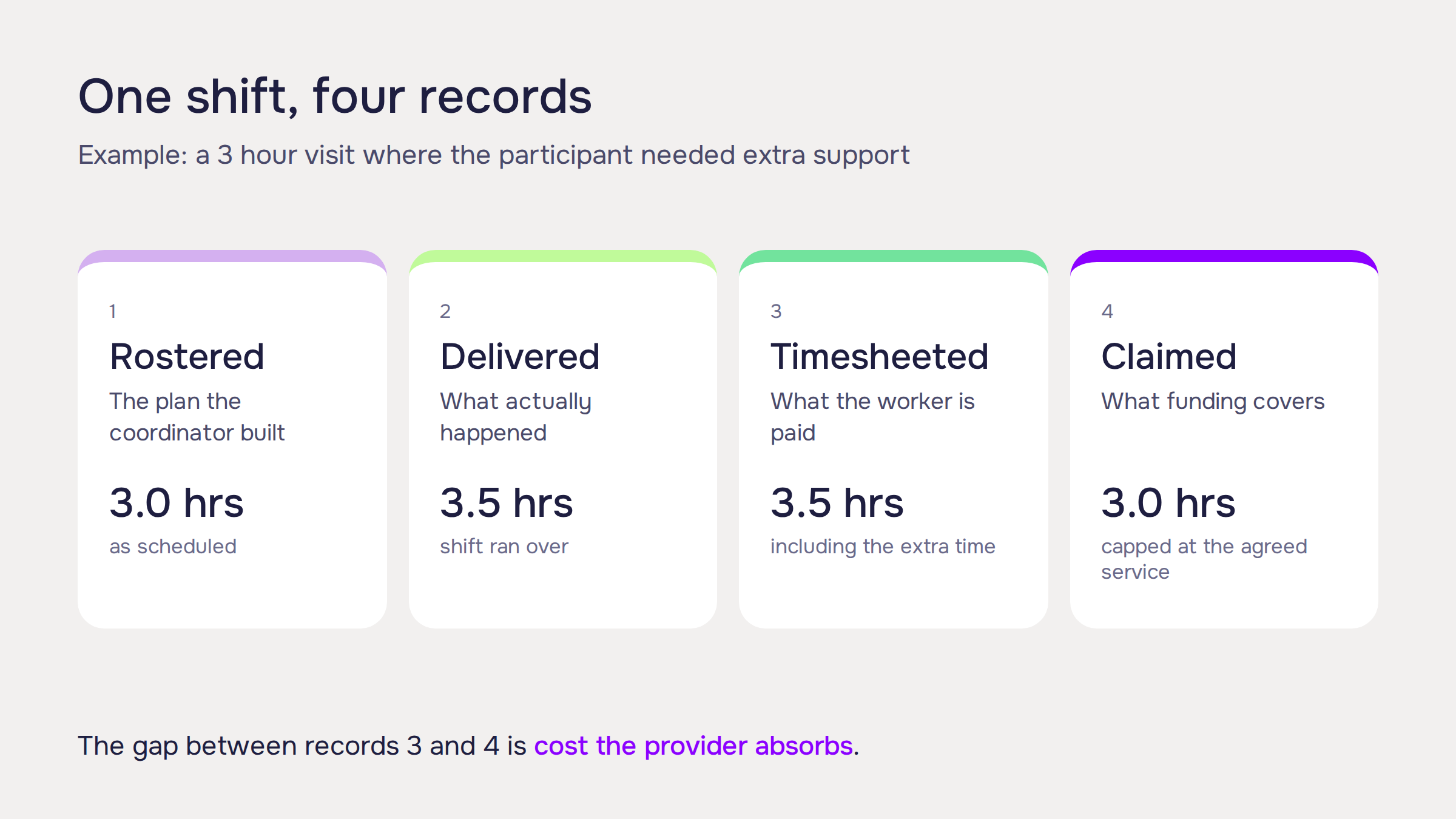
The Roster is the plan. Whether it's written on a spreadsheet and email or created using an app, it reflects what the coordinator scheduled: a worker visiting a participant at a set location and time, to provide a specific service.
'Delivered' is what actually happened. The care worker showed up, but the participant needed extra support that day, so the shift ran long. Or a different worker in a different pay category covered the shift because the rostered worker called in sick.
'Timesheeted' is what gets recorded for worker pay. This is where penalty rates and allowances enter the picture. A shift that ran over, a worker who picked up a last-minute replacement shift outside their usual roster, a broken shift that triggered a penalty rate. All of these show up in the final timesheet but not the original roster.
'Claimed' is what gets submitted for funding approval. Some service types cap what can be claimed, regardless of how long the shift actually ran. Meanwhile, some line items require a different code entirely to what was rostered, and some activities can't be claimed at all.
The problem for care providers occurs when costs exceed expectations and claimable hours don't match the work that has taken place.
The compliance risk of support claim gaps
Gaps between the expected and real cost of a shift are one thing. There's also compliance to think about when submitting claims.
Providers need to submit evidence of delivery when making claims, and there have been cases where penalties have applied because the fees claimed have been disproportionate to the cost of the support. This issue is on the NDIS's radar because billions of dollars have reportedly been lost to fraud and over-claiming.
There are unfortunately operators out there who have been identified for charging nearly three times the recommended prices, or charging for vaguely described 'other professional' services. Because of this, service categories have been updated to be more specific, scrutiny is high and clear paper trails are required.
Good practice for claiming includes:
- Service agreements: Clearly defined terms, agreed hourly rates and support delivery schedules.
- Shift notes: Comprehensive logs outlining the date, start and end times, specific activities completed, and how they align with the participant's NDIS goals.
- Proof of attendance: Signed timesheets, digital check-ins, or logbooks confirming the support worker was physically present or delivered the service.
- Itemised invoices: Clear breakdowns using the correct NDIS support catalogue item codes, matching the exact hours and dates of delivery.
If you are providing a Support at Home, NDIS or Supported Independent Living service, the records mentioned above need to match, and ideally with as little paperwork involved as possible.
It's an issue that can't generally be resolved at the claims stage, because by then confusion has already occurred. Instead, the solution needs to be 'baked in' to entire workflows, starting with good rostering.
Service agreements, shift notes, proof of attendance and itemised invoices can all be entered and tracked within Visualcare, so there is no need for separate systems, and your business has a single 'source of truth' for client information and shift details.
Read more: How to make Support at Home rostering, reporting and claims easier
Where leaks start: the rostering side
Most of the variation between what's rostered, delivered, time-sheeted and claimed goes back to the difference between what's on the roster and the shift that takes place.
Overtime is the clearest example, when what gets delivered and timesheeted is different from what was rostered. That difference has to be tracked and reconciled manually if the system doesn't do it automatically.
Cancellations create a similar problem in reverse. A rostered shift that doesn't go ahead still has to be accounted for. Some of that time may be billable to the participant, depending on notice periods and funding rules, some of it isn't, but still needs to be paid to the worker. If the roster doesn't clearly flag the cancellation and the reason for it, that distinction may get lost when the time comes to claim for the shift.
Another problem can come from travel time. If a shift worker ends up travelling between shifts for longer than planned, they may claim the time spent 'on the clock' but that can't necessarily be recouped after the fact.
The first important thing is visibility; the roster manager should be able to see in real time what a planned shift will cost and what a change will cost. Then it comes down to shift trackability; carers should be able to log their exact hours and shift reports, so payroll and the claims team have the evidence they need to pay and enter claims correctly.
Read more: Ultimate roster systems guide for home care, NDIS and supported independent living
Building in support claim safeguards from the start
Prevention is always better than cure, and while submitting claims that reflect the shifts that were originally planned will always be a challenge, it's important to close the gap as much as possible.
The best place to start is with a detailed, purpose-built rostering tool that captures overtime, shift changes and cancellations in real time, in a cloud-based app that updates automatically.
Roster managers should always understand the financial implications of a shift and be familiar with how claiming works in order to support the wider financial goals of the organisation. Information should also be easily shared with the payroll team, so they're not left guessing or trying to interpret data entered into spreadsheets.
Visualcare's rostering tools are built with all of the above in mind.
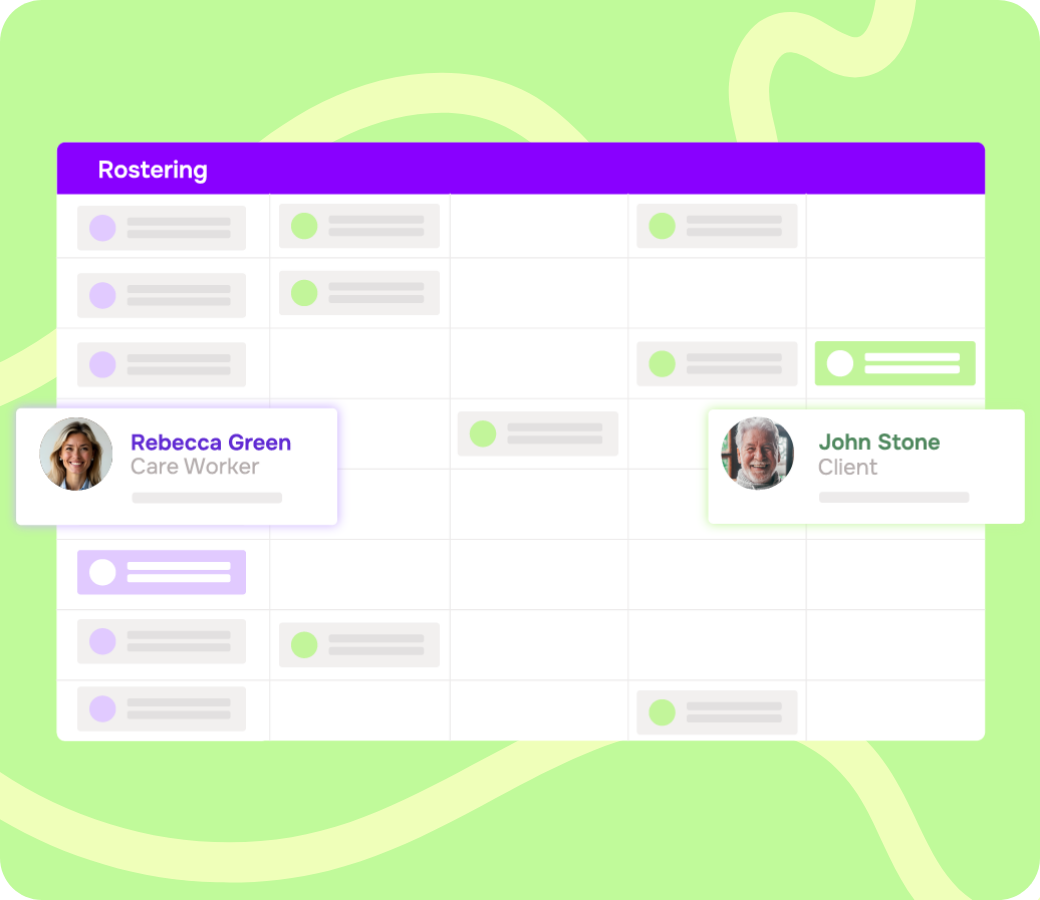
- Worker matching and smart rostering mean shifts are built against actual participant needs and service agreements.
- Rostering at scale keeps that accuracy consistent across large workforces and complex settings, including shared living arrangements where ratios need to adapt to occupancy.
- Every shift is scheduled with the relevant care plan and service detail attached, so coordinators are working from the same information that will eventually need to be reconciled through to a claim.
- Updates happen in real time and are automatically accessible by all stakeholders.
- Records create a clear paper trail to support claims and compliance.
Using the right rostering software is the first step to create 'smarter' rosters and make sure claims match what was actually delivered, every time.
Request a demo to see how Visualcare's rostering tools help close the gap between what's planned during a shift, what's delivered and what's claimed.
Request a Demo
Let us show you how Visualcare can work for your care organisation.